

Cango Withdrawal: withdrawing step by step without guesswork
Updated: 10 November 2026
Kiwi players checking the Cango withdrawal rules before making a deposit will find a cashier that operates without NZD. When you register from New Zealand, you choose either AUD or EUR as your permanent account currency, so all figures on this page are written in AUD. The minimum cashout is $30 AUD across all channels, while maximum limits sit at $8,000 AUD per week and $22,000 AUD per month. Before any request leaves the pending queue, your identity must be verified through Sumsub and your deposited funds must be wagered at least once on pokies.
Cango casino withdrawal: withdrawal methods in one table
When you open the cashier for a Cango casino withdrawal, the menu displays three main payout channels: Visa via Original Credit Transfer (OCT), Mastercard Payment Transfer, and cryptocurrency wallets. Local bank transfers and POLi are absent from the cashier. The casino does not charge a processing fee on payouts, though New Zealand banks typically apply a currency conversion fee when receiving AUD or EUR back onto a domestic NZD card. The promotional banner on the homepage mentions instant payouts, yet the actual cashier rules state a pending period of up to 24 hours followed by an internal processing window of up to 24 hours, seven days a week.
| Method | Minimum | Limit | Time after approval |
|---|---|---|---|
| Visa (OCT) | $30 AUD | $8,000 AUD/week, $22,000 AUD/month | Typically 1 to 3 business days |
| Mastercard Payment Transfer | $30 AUD | $8,000 AUD/week, $22,000 AUD/month | Typically 1 to 3 business days |
| Crypto wallet (BTC, ETH, USDT, LTC) | $30 AUD | $8,000 AUD/week, $22,000 AUD/month | Usually within 1 hour |
If you win an amount that exceeds the $22,000 AUD monthly cap, the accounting department splits the balance and pays it out in instalments across consecutive weeks. You can only withdraw to a payment method registered in your own name that has previously been used for a deposit.
Cango withdrawal: playing the deposit through once
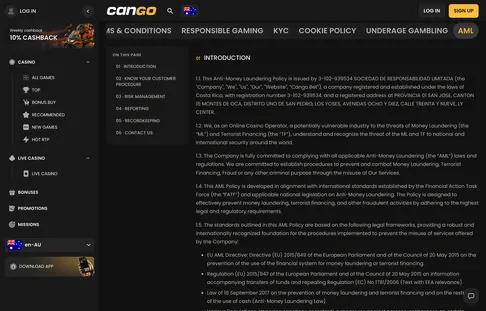
Every Cango withdrawal is subject to a standard anti-money laundering condition found in the footer policies: you must play through your deposited funds at least once (x1) on pokies before requesting a cashout. This rule applies even when you skip the welcome promo code WP1 and play purely with your own cash. If you deposit and immediately click withdraw without spinning the reels, the finance team will decline the request.
To see how this works in practice, consider the following scenario as an illustration. Suppose you deposit $100 AUD using your Visa card and decide not to claim a bonus. Before the cashier allows a clean payout, you need to place $100 AUD worth of total bets on pokies such as Bonanza Billion, Sun of Egypt 3, or Gates of Olympus. You do not need to lose $100 AUD; you simply need the sum of your stakes to reach that figure. Fifty spins at $2 AUD per spin equals $100 AUD in wagering. Whether your balance stands at $85 AUD or $240 AUD after those fifty spins, the x1 turnover requirement is complete and the funds are cleared for withdrawal.
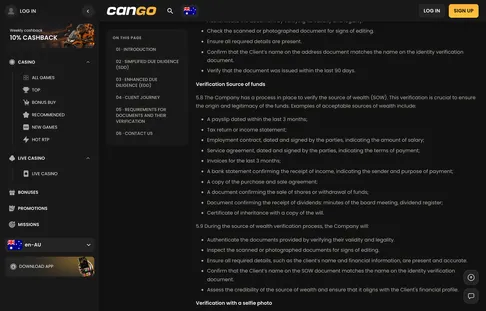
The verification screen shows which document is still missing. A withdrawal waits until this check is green, so finish it before you request a cashout.
Cango cashout: declined withdrawal fixes
When a Cango cashout returns to your casino balance instead of reaching your bank or crypto wallet, the rejection usually stems from one of four standard compliance checks. You can check the exact reason by opening the 24/7 live chat, which typically replies within two minutes; if a request simply looks slow rather than declined, our page on Cango withdrawal time shows how the pending and processing stages add up. Most declined requests can be fixed directly from your account dashboard without waiting for an email response.
- Unfinished bonus wagering: If you used promo code WP1 for the 150% match up to $1,500 AUD and 300 free spins, or claimed the Sunday 50% reload, the bonus funds carry a x30 wagering requirement within a typical 7-day window. Weekly 10% cashback carries a x3 turnover rule. Requesting a payout while an active bonus is still being wagered, or after exceeding the typical $7.50 AUD maximum bet per spin on bonus money, will trigger a rejection.
- Incomplete KYC verification: No payout is approved before your Sumsub check is complete. You must upload a clear photo of your passport, national ID card or another photo ID, a proof of address dated within the last 90 days, and a live selfie holding your document. The finance team may also ask for proof of source of funds. Verification takes up to 48 hours, excluding weekends, and a repeat check can be triggered on larger cashouts.
- Third-party payment details: The cashier strictly enforces a closed-loop policy where every Visa card, Mastercard, or crypto address must belong to the registered account holder. Attempting to send funds to a partner’s bank card or an unverified wallet address results in an immediate cancellation.
- Exceeding the weekly cap: Entering a single figure above the $8,000 AUD weekly limit will cause the form to reject the transaction or the finance team to adjust the amount. If your balance is $10,000 AUD, submit a request for $8,000 AUD first and request the remaining $2,000 AUD the following week.
The AML Policy is where the x1 deposit play-through rule comes from. It applies to every deposit, bonus or not.
Cango payout: step by step
Submitting a Cango payout takes less than two minutes once your x1 deposit turnover and Sumsub document checks are out of the way. Whether you access the site from a desktop browser or through the home screen PWA on iPhone or Android, the cashier layout remains identical. Follow these numbered steps to move money from your gaming balance to your personal account:
- Log in to your casino account and tap the wallet or cashier button at the top of the screen.
- Switch the cashier tab from Deposit to Withdraw.
- Select your payout channel from the list: Visa OCT, Mastercard Payment Transfer, or your chosen crypto network (such as BTC, ETH, USDT, or LTC).
- Type the amount in AUD (or EUR, depending on what you picked at sign-up), making sure it is at least $30 AUD and no more than $8,000 AUD.
- Enter your card details or paste your personal crypto wallet address, double-checking every character on the screen.
- Confirm the submission and open your transaction history tab to verify that the request is logged.
Request
When filling out the request form, pay close attention to the currency and network fields. Because your account runs in AUD, entering $150 means $150 AUD will be sent, which your New Zealand bank converts into NZD upon arrival if you use Visa or Mastercard. For cryptocurrency users, matching the exact blockchain network in the cashier to your external wallet is essential, as sending USDT on the wrong network cannot be reversed by customer support.
Status
Immediately after you confirm the form, the transaction history shows your cashout status as Pending. It stays in this stage for up to 24 hours, during which a cancel button remains visible next to the entry in case you choose to return the funds to your playable balance. Once the finance team picks up the ticket, the status shifts to Processing for up to another 24 hours, and the cancel button disappears until the status marks Approved and the payout leaves the casino.
Cango casino withdrawal: questions players ask
What are the minimum and maximum withdrawal limits for New Zealand players?
The minimum withdrawal amount is $30 AUD per transaction. Players can withdraw a maximum of $8,000 AUD per week from their account. The total monthly withdrawal limit is capped at $22,000 AUD.
Is it possible to cancel a withdrawal request while it is pending?
Withdrawal requests are held in a pending state for up to 24 hours. You are able to cancel your withdrawal request during this pending period if you choose to do so. Once the processing stage begins after the pending window, the request can no longer be cancelled.
Can I use a bank card belonging to someone else for withdrawals?
All payment methods used for your account must be registered in your own name. The casino strictly requires that the account holder matches the details of the payment method used. You cannot withdraw funds to a card or account owned by another person.
Why is there a requirement to play through a deposit before a cashout?
The casino requires that all deposited funds are played through at least once before you are permitted to make a withdrawal. This policy acts as a security measure to ensure the platform is used for gaming purposes. You must complete this x1 deposit play-through requirement before submitting your cashout request.